To search
Softonic Rating:
Very good810
License:
Evaluation
Added:
May 21, 2007
Updated:
May 20, 2008
Publisher:
Website
File size:
12.8 MB
Downloads:
2,318
Bartley Sharkey

“Digital paint art software, powerful and user-friendly”

by Bartley Sharkey

If you fancy designing a new website for yourself, then turn back now, Twisted Brush has not been developed to give clean crisp graphics, and will frustrate you unless you use it for what it was designed for, art. Having established that this is a program for drawing, it follows that the most natural way to sketch anything and in turn to use this software effectively is with a pen and a drawing tablet.

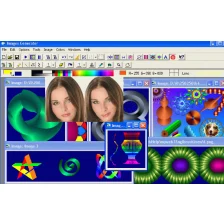
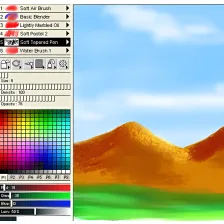
When the program starts, you’re assaulted by the quick-start guide that is designed to gently introduce you to the features. In reality it’s a bunch of screenshots crammed with info bubbles that contain un-detailed information and no links to find out more. That said, how many people stop to read welcome screens anyway?

A lot of effort was put into making TwistedBrush a realistic substitute for actual painting and when you start working with the various brushes you see just how well they interact with the colors to create a convincing portrait. Undoubtedly the greatest strength of this program is the vast selection of brush types and styles that are available to use. From simple fine pens, to wet oil brushes, to progressive 3D designs, you’ll find them all. The beauty of each brush is that they can be used quickly and easily, with stunning effects.

You will also find support for all the major image file formats, including TIFF, PSD, JPG, GIF, and PNG and there is an option to create a script, either to record the steps taken in the painting process, to insert a message, or to insert random dabs of paint, something that doesn’t quite seem to add to the functionality (although any Dadaists out there may disagree about that).

While getting to grips with the program, it seemed that there was one feature that had been unforgettably forgotten, the select tool. After using Photoshop for so long, this seems like a key tool in any imaging software that the TwistedBrush developers have overlooked. Alternatively it could be the very omission of the select tool that sets this program apart with the production process being more of an evolution rather than a construction.

TwistedBrush is a quality painting application that, judging from its interface and features, is aimed at anyone with a drawing tablet. There are tons of great brushes to experiment with but for anyone relying on the lowly mouse and the lack of a selection tool, it may become very frustrating, very quickly.

Languages:

English

Recent changes in TwistedBrush Pro Studio:

  • Bug fixes

Limitations:

15 day Trial Period Inserts watermark on your images

OS requirements for TwistedBrush Pro Studio:

  • OS: Win95/98/98SE/Me/2000/NT/XP/Vista
Pros
  • Variety of brushes
  • Easy to apply effects
  • Masking available
  • Support for scripts
Cons
  • Unintuitive interface
  • No selection tool
  • Draw tablet essential
Did you like this review?
23 of 26 users liked it (88%)

Featured program

Softonic gives special recognition to software of exceptionally high quality. More information

From the publisher of TwistedBrush Pro Studio

Most graphics programs offer at most 32 bits of color resolution. TwistedBrush represents all image data internally at a full 64 bits of color resolution. This allows for super smooth color mixing and alpha blending. TwistedBrush has over 1500 diffferent brushes included. These range from very simple color dots to realistic representations of natural artist tools to very wild brushes.

Over 50 filters can be used to quickly alter and adjust your image. The includes basic photographic filters that adjust brightness and contrast or equalize the colors, artist filters that allow you to mimic a oil painting with a click of the mouse, blurring filters, noise filters, noise generation filters, distorting filters, sharpening filters etc.

With masks part of an image can be protected from changes. This works just like traditional artist masks or friskets. There are numerous ways to create and edit masks, they can be painted on with masking brushes, added to with special masking tools for rectangles and ellipses, the masking magic wand can be used to mask area of similar color or you can even convert and existing image to a mask.

More TwistedBrush Pro Studio screenshots

TwistedBrush Pro Studio options

TwistedBrush Pro Studio Options

Reviews for TwistedBrush Pro Studio in other languages

Softonic Rating:Very good
6/10

User Rating

3 ratings
Usability
  • Currently 5/10.
Stability
  • Currently 6/10.
Installation
  • Currently 7/10.
Functionality
  • Currently 6/10.
Appearance
  • Currently 6/10.

Download stats

Related

Related searches


View all

Are you the developer of TwistedBrush Pro Studio?

If your program has received a Softonic rating, feel free to use the following award badge on your site or as part of any other promotional feature you may be putting together.

TwistedBrush Pro Studio Softonic Rating

Click on the above text field to copy the necessary HTML to your clipboard and then paste it to your website. It will display your program's Softonic Rating and will link to your program page.

Any queries? Contact us if you want more info.

Close